Early access Β· Launching soon

Move anything between all your devices

Files, links and clipboard fly straight from one device to the next β€” like AirDrop, but for Windows, Android and iOS. Drop your email and be first in line.

ASK Join the first wave switching from AirDrop limbo.

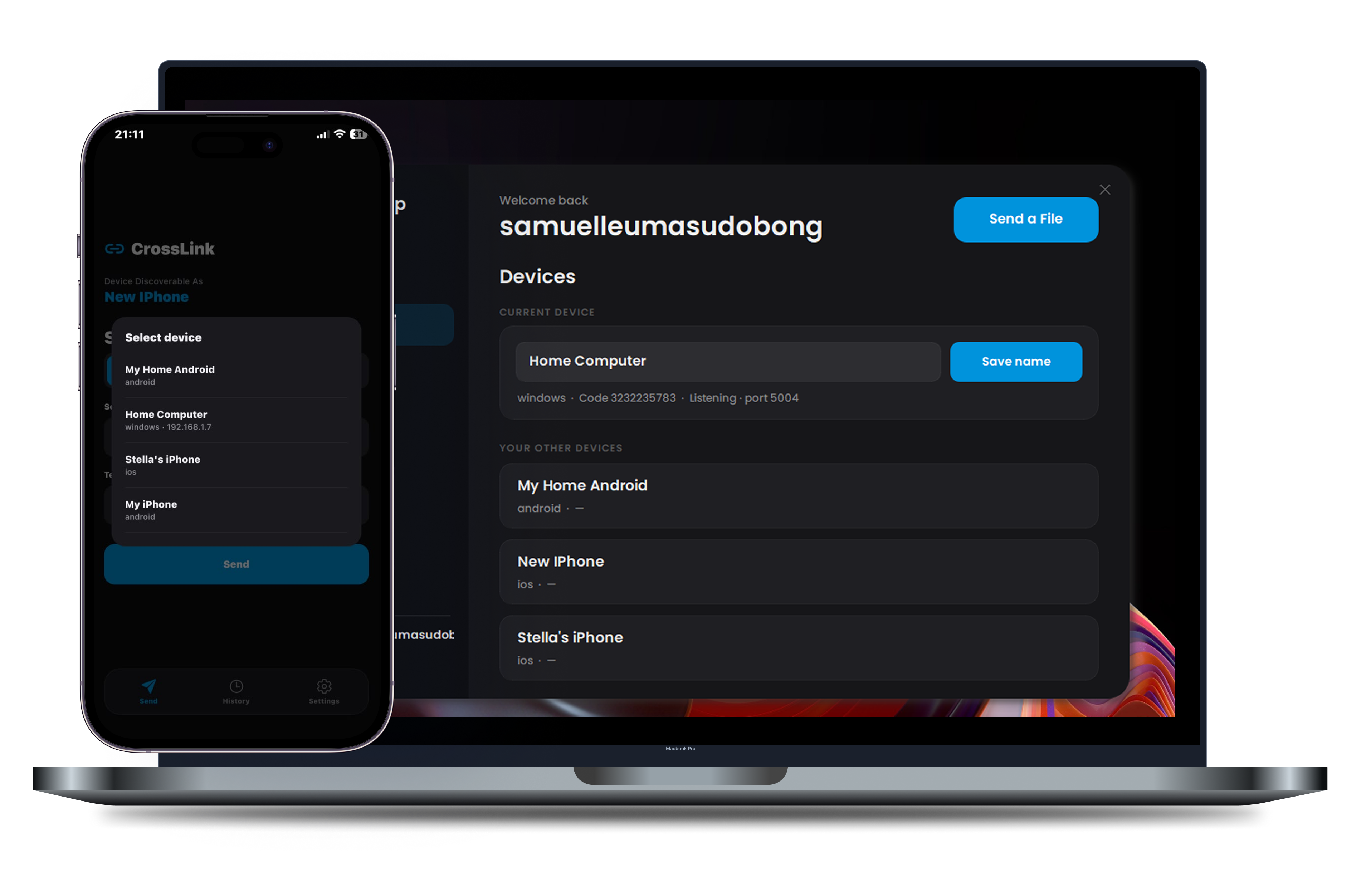
Crosslink app screenshot

*Not final build subject to change

See it in action

One tap. It's on your other device.

No pairing codes, no Bluetooth, no cloud upload. Watch a file go straight across.

Everything you wish AirDrop did

Built for the way you actually use your devices β€” fast, private, and on every platform.

Cross-platform

Send to any device you own

Windows, Android, iPhone β€” sign in once and your devices just find each other. No pairing codes, no Bluetooth dance.

  • Works across every operating system
  • Devices appear automatically
Crosslink sending a file to another device
Resume support

Pick up where you left off

Lost your Wi-Fi halfway through a big file? Crosslink remembers what already made it across and just carries on β€” never start a transfer over again.

  • Survives dropped connections
  • Resumes to the exact byte
Shared clipboard

Copy here, paste there

Copy a link, some text, or an image on one device and it's ready to paste on another moments later. No more emailing little notes to yourself.

  • Links, text and images
  • Reaches devices anywhere
Private by design

Your files never touch a server

Big files go straight across your own Wi-Fi β€” never through the cloud. Links and messages are sealed end-to-end, so only your devices can read them.

  • End-to-end encrypted
  • Nothing stored in the cloud

*Not final build subject to change

Works on everything you carry

One account, all your devices. No ecosystem lock-in.

Windows Desktop app
iPhone iOS app
Android Play Store

Questions, answered

Early users get in free. Sending files over your own Wi-Fi will stay free and unlimited β€” there's no server in the path, so it costs us nothing. A Pro plan will later cover the cloud features (sending to devices anywhere, bigger limits).

Windows, Android and iPhone, with the desktop app living quietly in your system tray. Sign in once and every device shows up on its own β€” no pairing codes.

Yes. File bytes travel straight across your local network and never land on a server. Links and text are sealed end-to-end, so only your devices can read them β€” not even we can.

For big files, yes β€” that's what makes them fast and private. But links, text and clipboard take an encrypted cloud lane, so they reach any of your devices anywhere, even off your network. Crosslink picks the right lane for you automatically.

Soon β€” join the waitlist and you'll get a single email the moment it's live, plus an early-access invite before everyone else.

Samuel, the maker of Crosslink

A note from the maker

Crosslink is a one-person project β€” front-end, backend, encryption and testing, all by me. I'm a junior software engineer who got tired of emailing files to myself and wanted AirDrop's magic without the Apple-only walls.

If you've ever fought to get a file from your phone to your PC, this is for you. Want to build something together, or just dig into the rest of my work? The waitlist's right up top.

β€” Samuel Udobong Jnr

Let's Connect

Be first when Crosslink drops

One launch email, an early-access invite, and no spam in between. Take ten seconds now.

Join the waitlist